FetchCard turns paper business cards into caller-aware mobile context
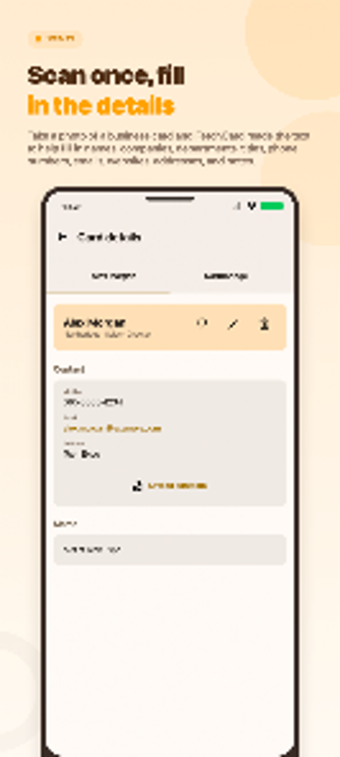
FetchCard - Scan & Caller ID, developed by 슬기로운생활, digitizes physical business cards for on-the-spot professional reference. The app combines high-accuracy OCR scanning with GPS-triggered proximity alerts and real-time Caller ID pop-ups that surface personalized memos during calls. It also offers multi-dimensional search, contact organization by company or recent views, and direct call, email, and map routing. It keeps business-specific caller identification separate from the device's main contacts.
What is FetchCard used for in sales and recruiting workflows?
The app functions as a context-aware assistant that captures paper cards into structured contact records so professionals retrieve relevant client details at the moment they matter. In practice the tool supports follow-up after networking and supplies interaction history during inbound calls or on arrival at appointments. This positions the app as a mobile memory aid for people who need rapid, situation-based recall rather than a general-purpose address book.
How does FetchCard change preparation for meetings and incoming calls?
Captured contact records feed event-triggered cues so preparatory context appears near meetings and during calls. Images from the camera or gallery populate searchable entries, while in-call pop-ups reveal saved memos tied to app contacts. Location-aware prompts surface client entries when a user arrives at an address, concentrating history and notes where they reduce lookup time before a meeting.
Is the app approachable for professionals without CRM training?
Onboarding centers on a few mobile permissions and straightforward lists rather than CRM setup. The OCR extracts names, titles, phone numbers, emails, and addresses to cut manual entry on common card layouts. Built-in organization categories reduce configuration needs:
- Recently Viewed
- Starred
- By Company
Those lists let field sales or recruiting staff keep contacts orderly without learning complex workflows.
How does it share data, integrate with device actions, and perform in real use?
Integration focuses on direct mobile actions and app-scoped data. The Android app opens calls, composes email, and launches map routing from contact entries. Caller identification and memo pop-ups appear only for numbers saved inside the app, so matching does not apply across the device address book. Gallery import supports shared card images, and core features depend on camera and GPS responsiveness on the user’s device.
FetchCard suits mobile-first professionals who accept a dedicated contacts store
FetchCard is a practical option for salespeople, recruiters, and solo business owners who need context-aware prompts during client interactions. Its design favors a dedicated mobile contact store and situation-triggered reminders; that makes it strong for field workflows. Teams that require full device contact integration or desktop synchronization should consider alternatives, since the app keeps business records scoped to its own contact database.